HubSpot 触发器
本指南提供了为 CrewAI AMP 设置 HubSpot 触发器的逐步流程,使你可以直接从 HubSpot Workflows 启动 crews。
- 一个 CrewAI AMP 账号
- 一个具备 HubSpot Workflows 功能的 HubSpot 账号
- 将你的 HubSpot 账号连接到 CrewAI AMP
- 登录你的
CrewAI AMP account > Triggers- 从可用触发器列表中选择HubSpot- 选择要连接到 CrewAI AMP 的 HubSpot 账号 - 按照屏幕提示授权 CrewAI AMP 访问你的 HubSpot 账号 - 连接成功后会出现确认消息
- 登录你的
- 创建 HubSpot Workflow
- 登录你的
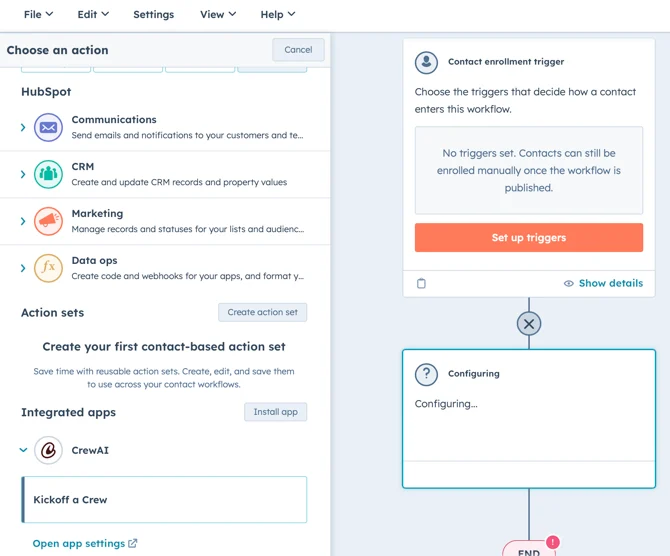
HubSpot account > Automations > Workflows > New workflow - 选择适合你需求的 workflow 类型(例如 Start from scratch)- 在 workflow builder 中,点击 Plus (+) 图标添加新 action。- 选择
Integrated apps > CrewAI > Kickoff a Crew。- 选择你想要启动的 Crew。- 点击Save将该 action 添加到 workflow
- 登录你的
- 将 Crew 结果与其他 action 一起使用
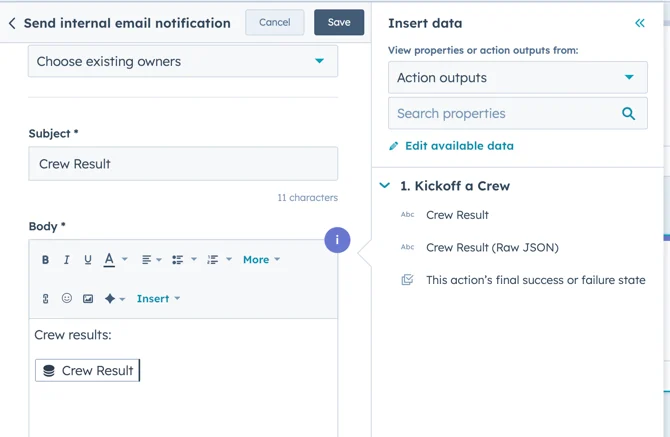
- 在 Kickoff a Crew 步骤之后,点击 Plus (+) 图标添加另一个 action。- 例如,要发送内部邮件通知,请选择
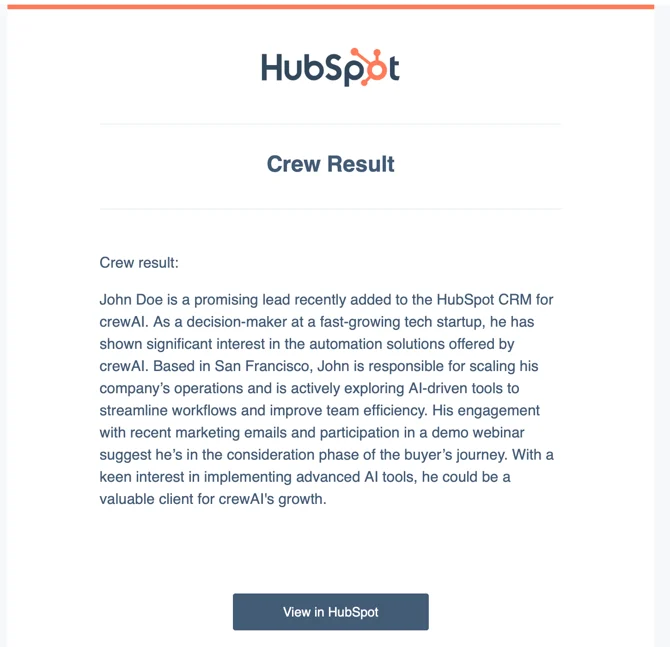
Communications > Send internal email notification- 在 Body 字段中,点击Insert data,选择View properties or action outputs from > Action outputs > Crew Result,将 Crew 数据包含在邮件中
- 根据需要配置其他 action - 检查 workflow 步骤,确保一切设置正确 - 激活 workflow
- 在 Kickoff a Crew 步骤之后,点击 Plus (+) 图标添加另一个 action。- 例如,要发送内部邮件通知,请选择
如需了解可用 action 和自定义选项的更多信息,请参阅 HubSpot Workflows Documentation。