TrueFoundry Integration
TrueFoundry provides an enterprise-ready AI Gateway which can integrate with agentic frameworks like CrewAI and provides governance and observability for your AI Applications. TrueFoundry AI Gateway serves as a unified interface for LLM access, providing:
- Unified API Access: Connect to 250+ LLMs (OpenAI, Claude, Gemini, Groq, Mistral) through one API
- Low Latency: Sub-3ms internal latency with intelligent routing and load balancing
- Enterprise Security: SOC 2, HIPAA, GDPR compliance with RBAC and audit logging
- Quota and cost management: Token-based quotas, rate limiting, and comprehensive usage tracking
- Observability: Full request/response logging, metrics, and traces with customizable retention
How TrueFoundry Integrates with CrewAI
Section titled “How TrueFoundry Integrates with CrewAI”Installation & Setup
Section titled “Installation & Setup”- Install CrewAI
Terminal window pip install crewai - Get TrueFoundry Access Token
- Sign up for a TrueFoundry account
- Follow the steps here in Quick start
- Configure CrewAI with TrueFoundry
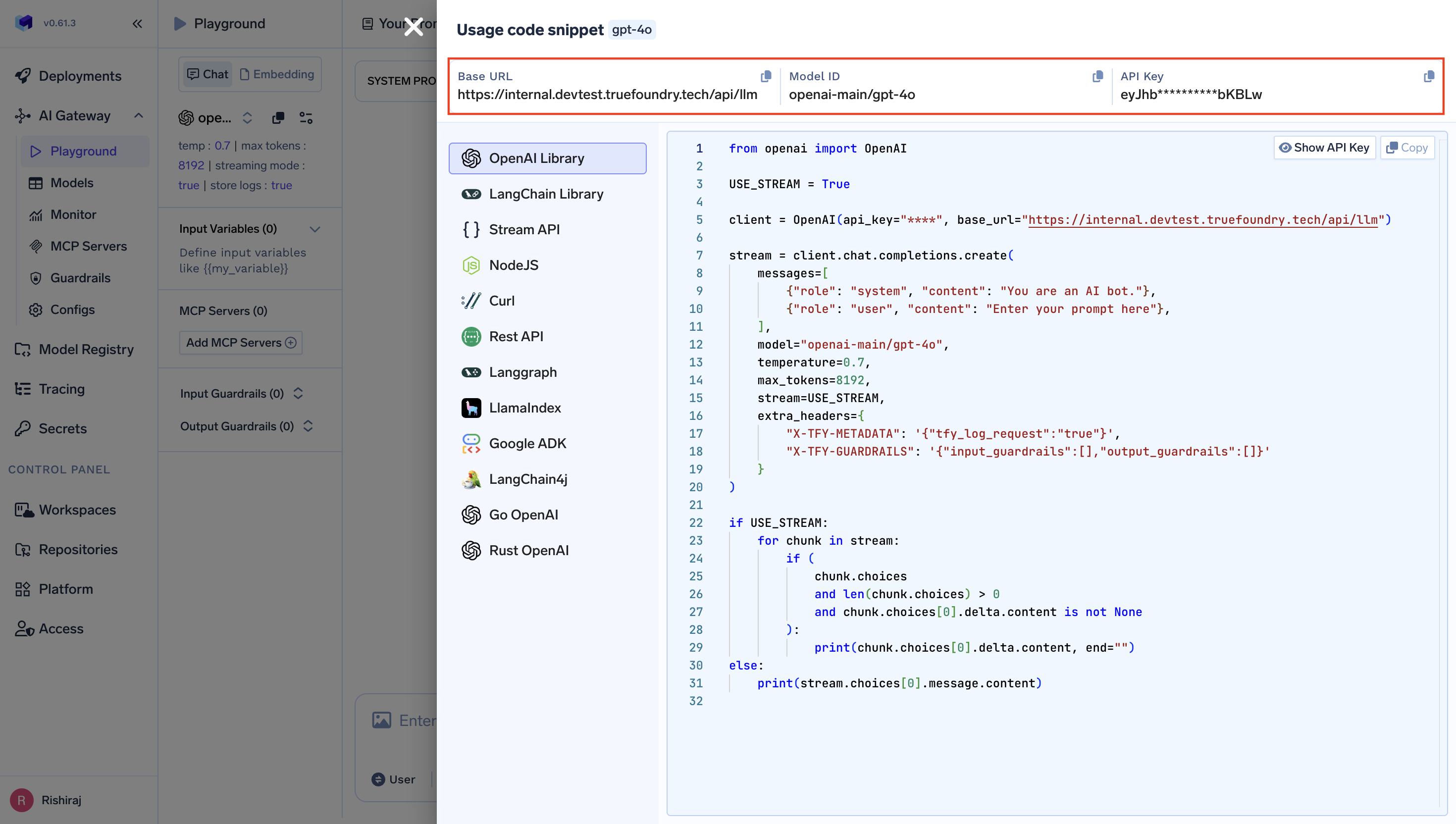 from crewai import LLM# Create an LLM instance with TrueFoundry AI Gatewaytruefoundry_llm = LLM(model="openai-main/gpt-4o", # Similarly, you can call any model from any providerbase_url="your_truefoundry_gateway_base_url",api_key="your_truefoundry_api_key")# Use in your CrewAI agentsfrom crewai import Agent@agentdef researcher(self) -> Agent:return Agent(config=self.agents_config['researcher'],llm=truefoundry_llm,verbose=True)
Complete CrewAI Example
Section titled “Complete CrewAI Example”from crewai import Agent, Task, Crew, LLM
# Configure LLM with TrueFoundryllm = LLM( model="openai-main/gpt-4o", base_url="your_truefoundry_gateway_base_url", api_key="your_truefoundry_api_key")
# Create agentsresearcher = Agent( role='Research Analyst', goal='Conduct detailed market research', backstory='Expert market analyst with attention to detail', llm=llm, verbose=True)
writer = Agent( role='Content Writer', goal='Create comprehensive reports', backstory='Experienced technical writer', llm=llm, verbose=True)
# Create tasksresearch_task = Task( description='Research AI market trends for 2024', agent=researcher, expected_output='Comprehensive research summary')
writing_task = Task( description='Create a market research report', agent=writer, expected_output='Well-structured report with insights', context=[research_task])
# Create and execute crewcrew = Crew( agents=[researcher, writer], tasks=[research_task, writing_task], verbose=True)
result = crew.kickoff()Observability and Governance
Section titled “Observability and Governance”Monitor your CrewAI agents through TrueFoundry’s metrics tab:
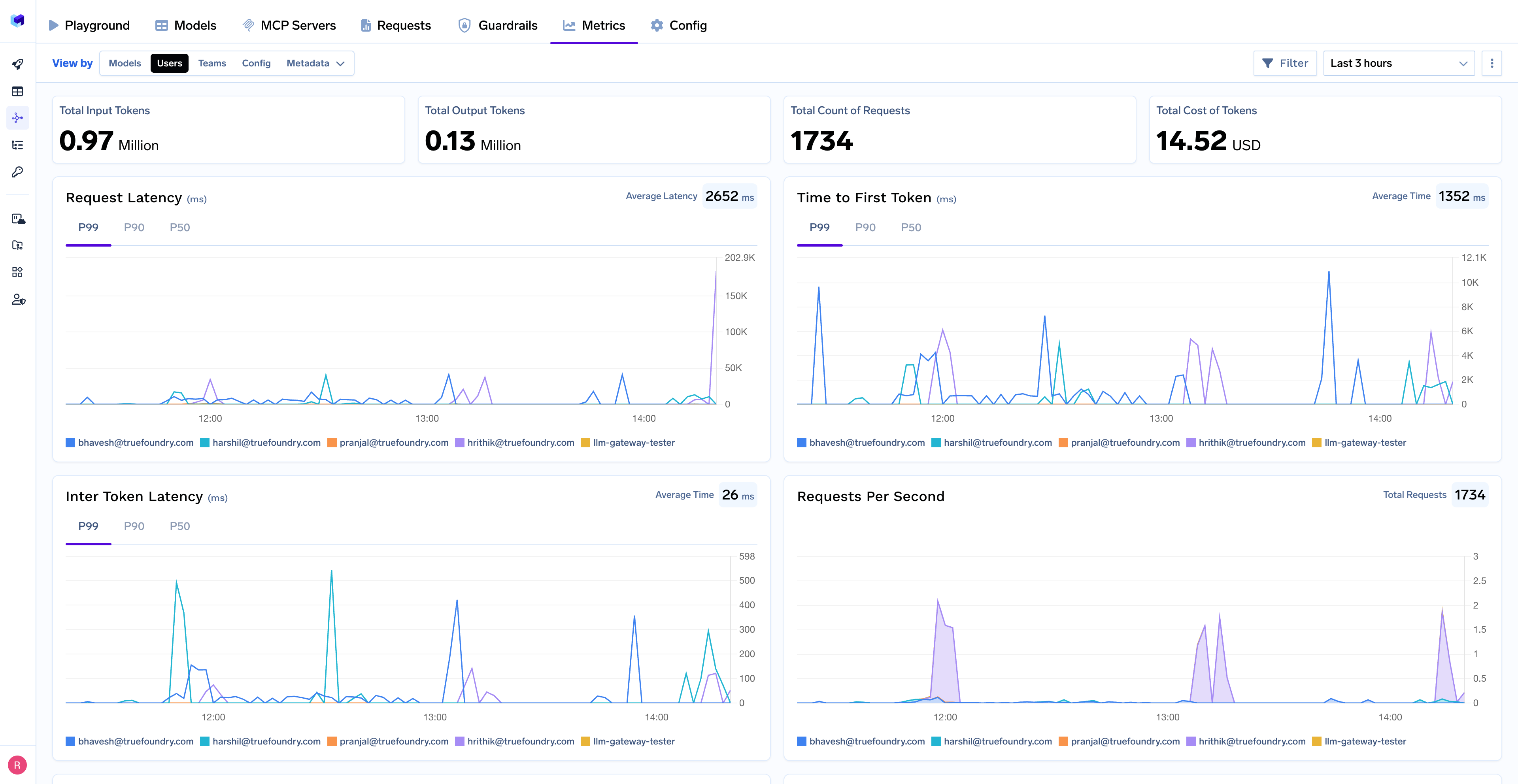
With Truefoundry’s AI gateway, you can monitor and analyze:
- Performance Metrics: Track key latency metrics like Request Latency, Time to First Token (TTFS), and Inter-Token Latency (ITL) with P99, P90, and P50 percentiles
- Cost and Token Usage: Gain visibility into your application’s costs with detailed breakdowns of input/output tokens and the associated expenses for each model
- Usage Patterns: Understand how your application is being used with detailed analytics on user activity, model distribution, and team-based usage
- Rate limit and Load balancing: You can set up rate limiting, load balancing and fallback for your models
Tracing
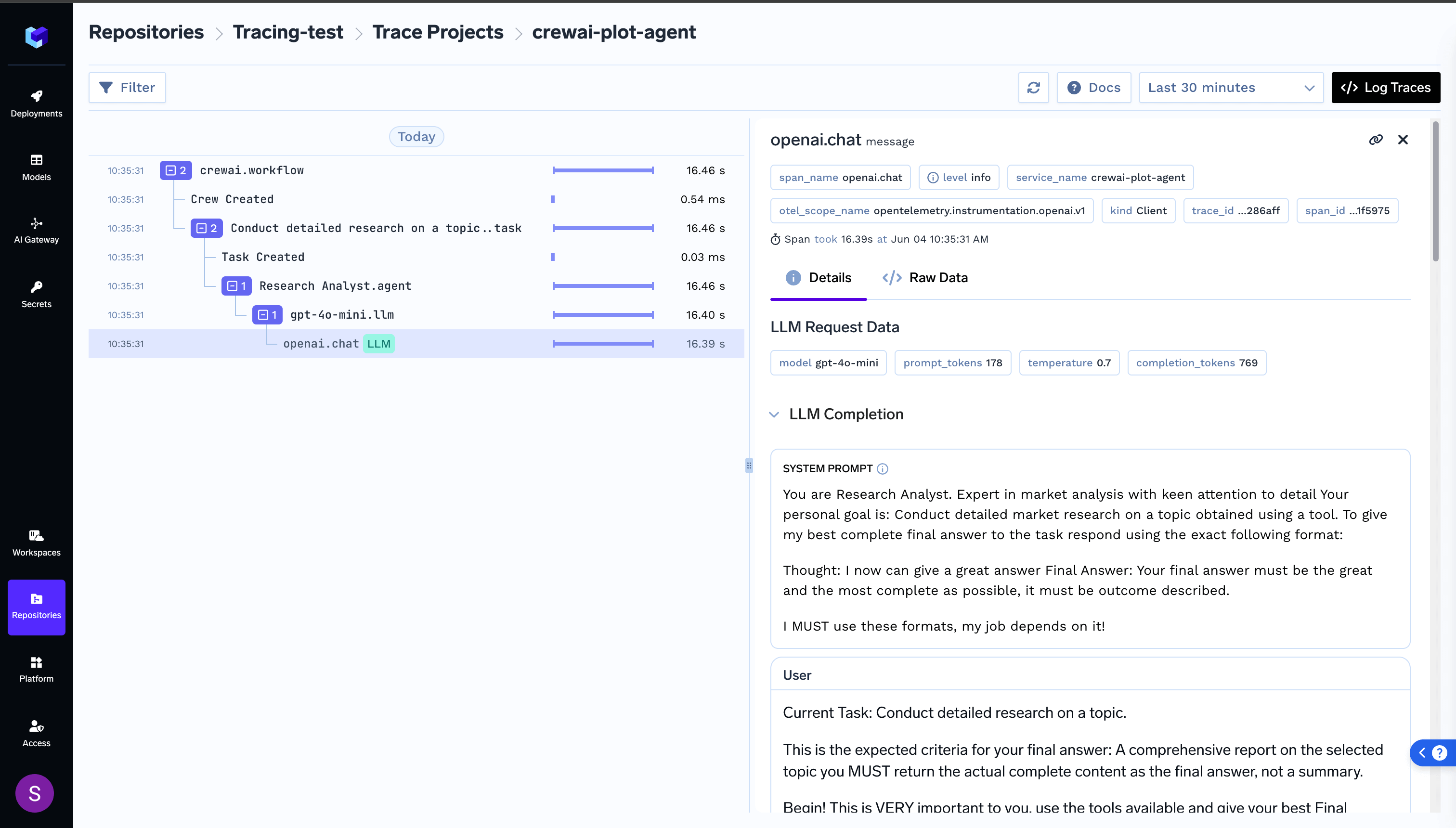
Section titled “Tracing”For a more detailed understanding on tracing, please see getting-started-tracing.For tracing, you can add the Traceloop SDK: For tracing, you can add the Traceloop SDK:
pip install traceloop-sdkfrom traceloop.sdk import Traceloop
# Initialize enhanced tracingTraceloop.init( api_endpoint="https://your-truefoundry-endpoint/api/tracing", headers={ "Authorization": f"Bearer {your_truefoundry_pat_token}", "TFY-Tracing-Project": "your_project_name", },)This provides additional trace correlation across your entire CrewAI workflow.