Update Crew
Why Update Your Crew?
Section titled “Why Update Your Crew?”CrewAI won’t automatically pick up GitHub updates by default, so you’ll need to manually trigger updates, unless you checked the Auto-update option when deploying your crew.
There are several reasons you might want to update your crew deployment:
- You want to update the code with a latest commit you pushed to GitHub
- You want to reset the bearer token for security reasons
- You want to update environment variables
1. Updating Your Crew Code for a Latest Commit
Section titled “1. Updating Your Crew Code for a Latest Commit”When you’ve pushed new commits to your GitHub repository and want to update your deployment:
- Navigate to your crew in the CrewAI AMP platform
- Click on the
Re-deploybutton on your crew details page
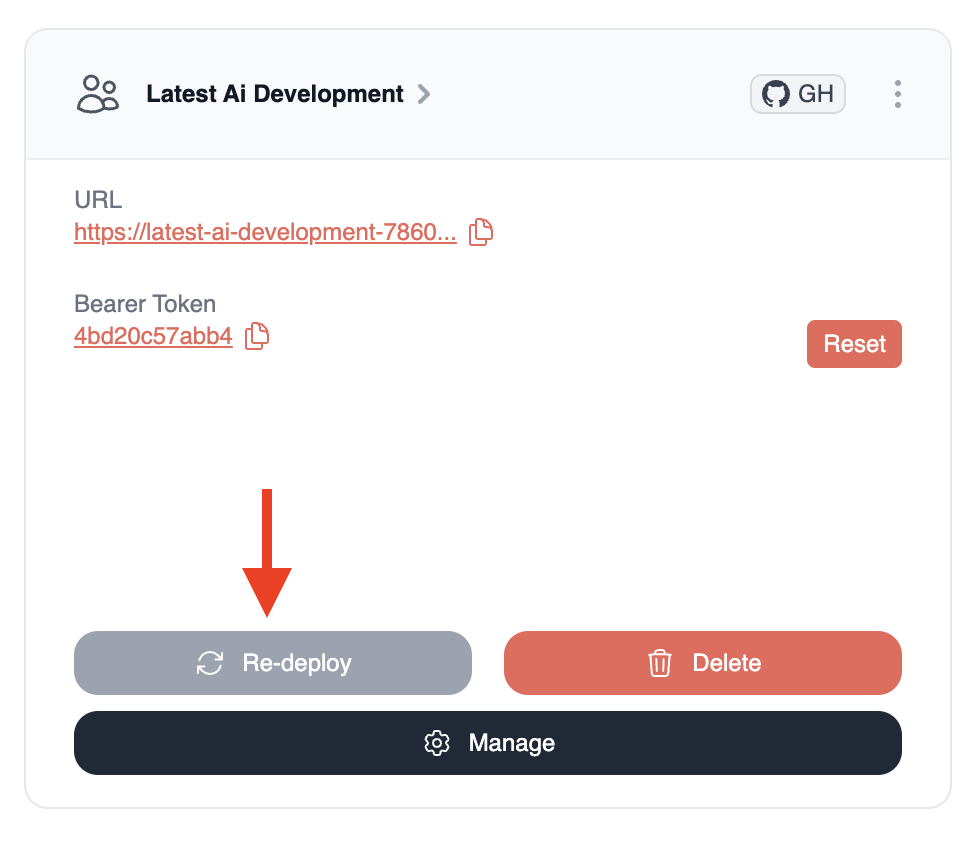
This will trigger an update that you can track using the progress bar. The system will pull the latest code from your repository and rebuild your deployment.
2. Resetting Bearer Token
Section titled “2. Resetting Bearer Token”If you need to generate a new bearer token (for example, if you suspect the current token might have been compromised):
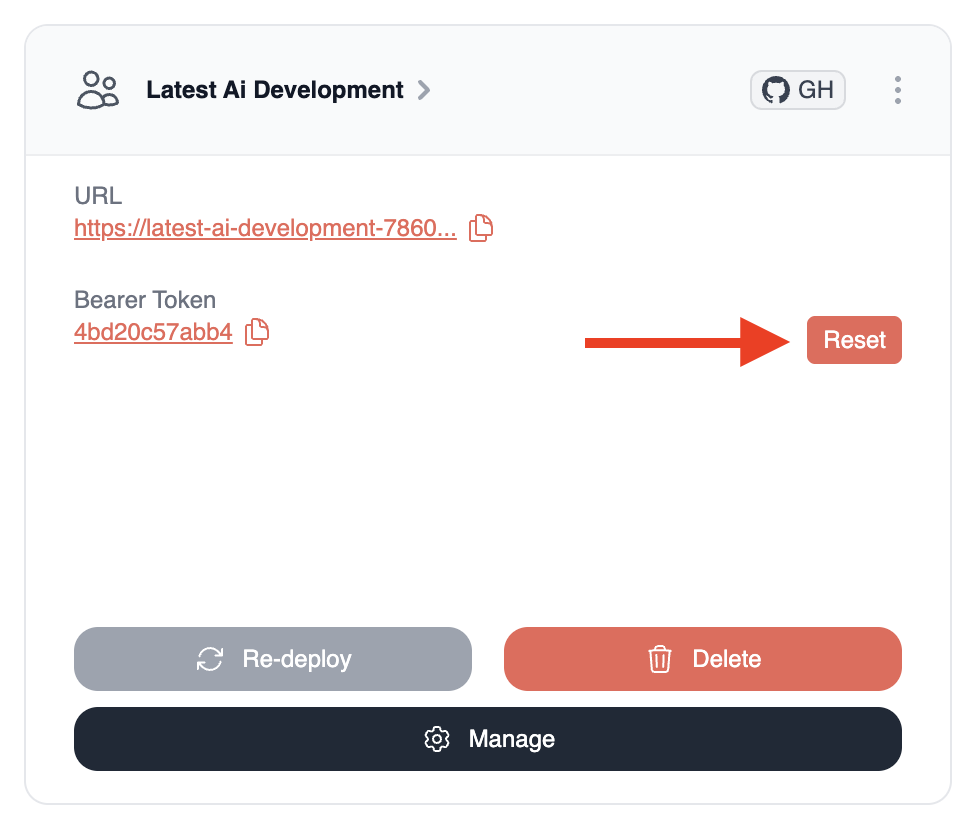
- Navigate to your crew in the CrewAI AMP platform
- Find the
Bearer Tokensection - Click the
Resetbutton next to your current token
3. Updating Environment Variables
Section titled “3. Updating Environment Variables”To update the environment variables for your crew:
- First access the deployment page by clicking on your crew’s name
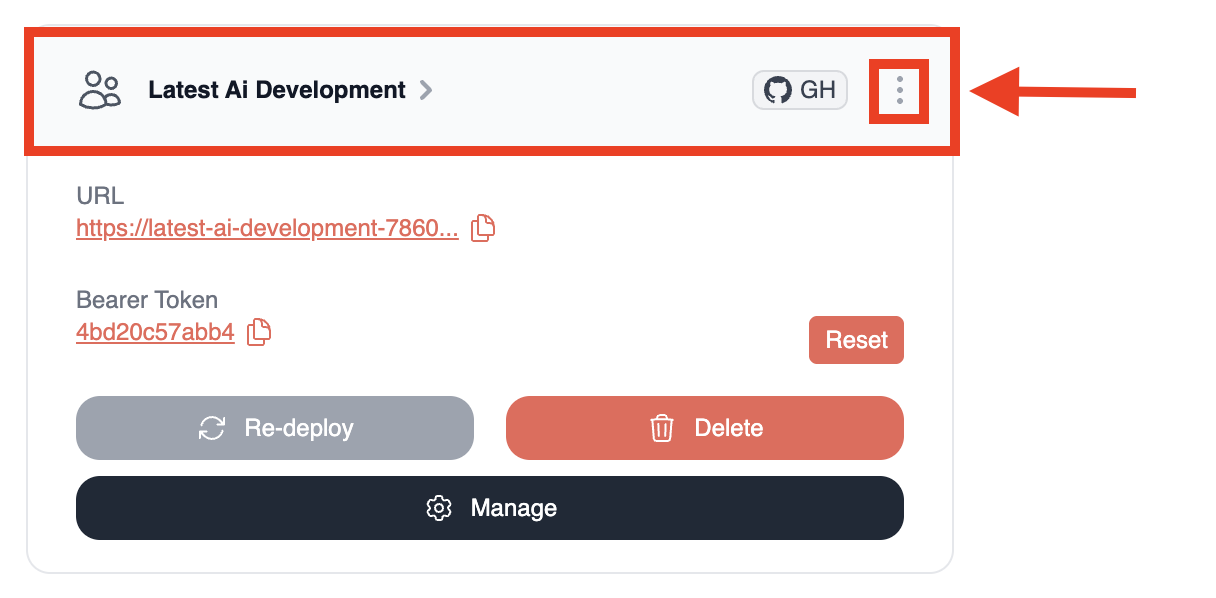
- Locate the
Environment Variablessection (you will need to click theSettingsicon to access it) - Edit the existing variables or add new ones in the fields provided
- Click the
Updatebutton next to each variable you modify
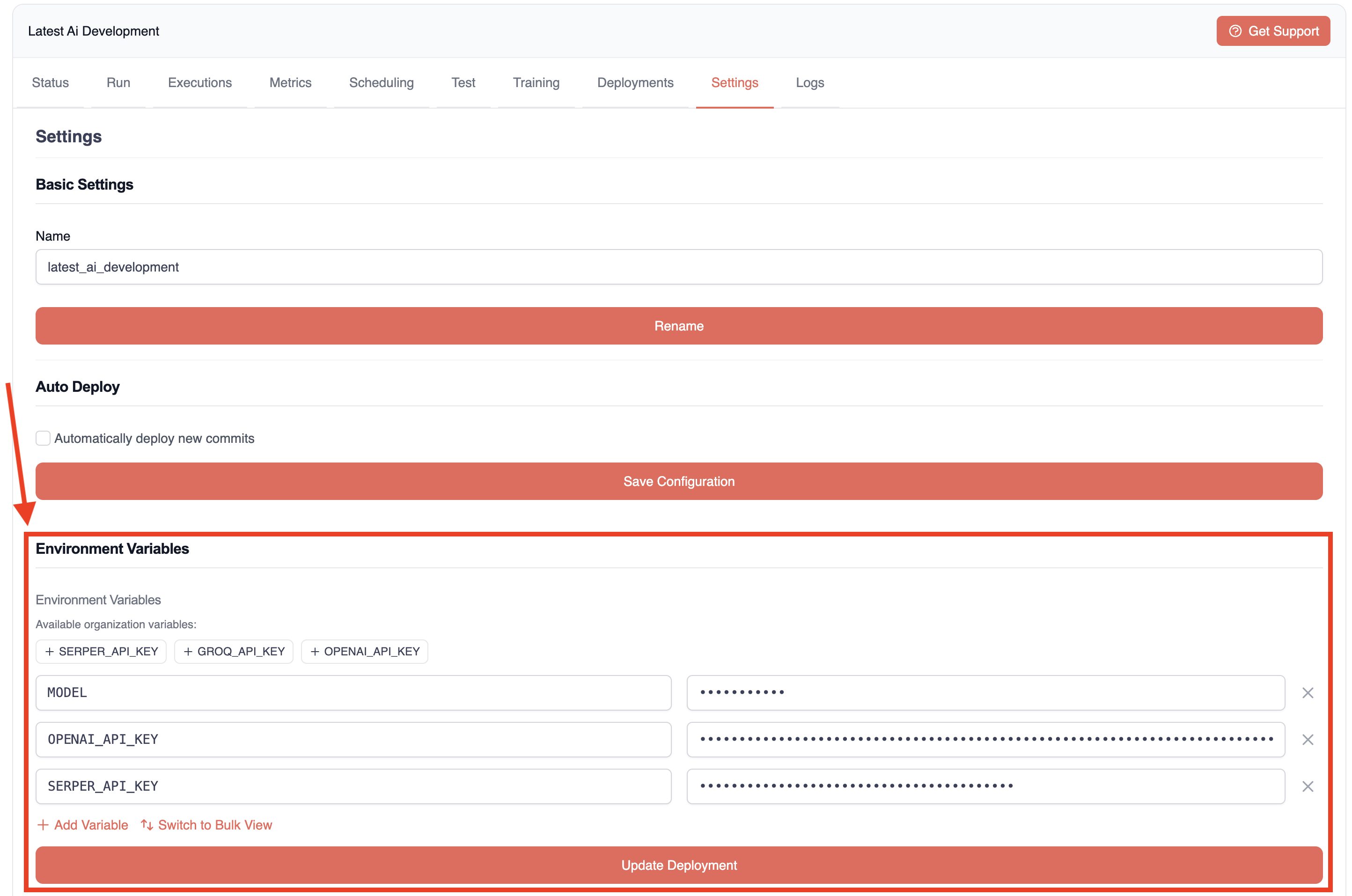
- Finally, click the
Update Deploymentbutton at the bottom of the page to apply the changes
After Updating
Section titled “After Updating”After performing any update:
- The system will rebuild and redeploy your crew
- You can monitor the deployment progress in real-time
- Once complete, test your crew to ensure the changes are working as expected
Need Help?
Contact our support team for assistance with updating your crew or troubleshooting deployment issues.