Neatlogs Integration
Introduction
Section titled “Introduction”Neatlogs helps you see what your agent did, why, and share it.
It captures every step: thoughts, tool calls, responses, evaluations. No raw logs. Just clear, structured traces. Great for debugging and collaboration.
Why use Neatlogs?
Section titled “Why use Neatlogs?”CrewAI agents use multiple tools and reasoning steps. When something goes wrong, you need context — not just errors.
Neatlogs lets you:
- Follow the full decision path
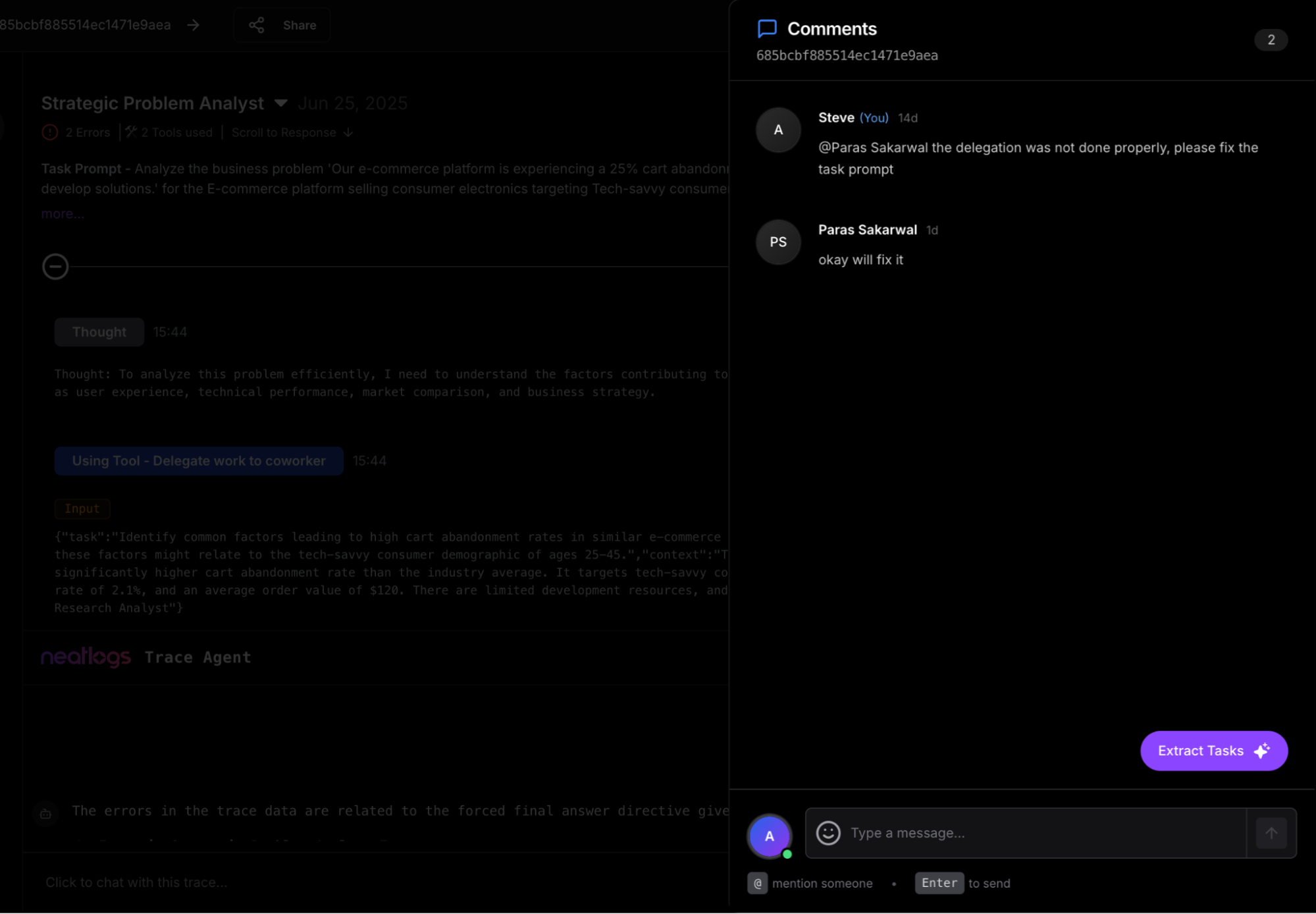
- Add feedback directly on steps
- Chat with the trace using AI assistant
- Share runs publicly for feedback
- Turn insights into tasks
All in one place.
Manage your traces effortlessly
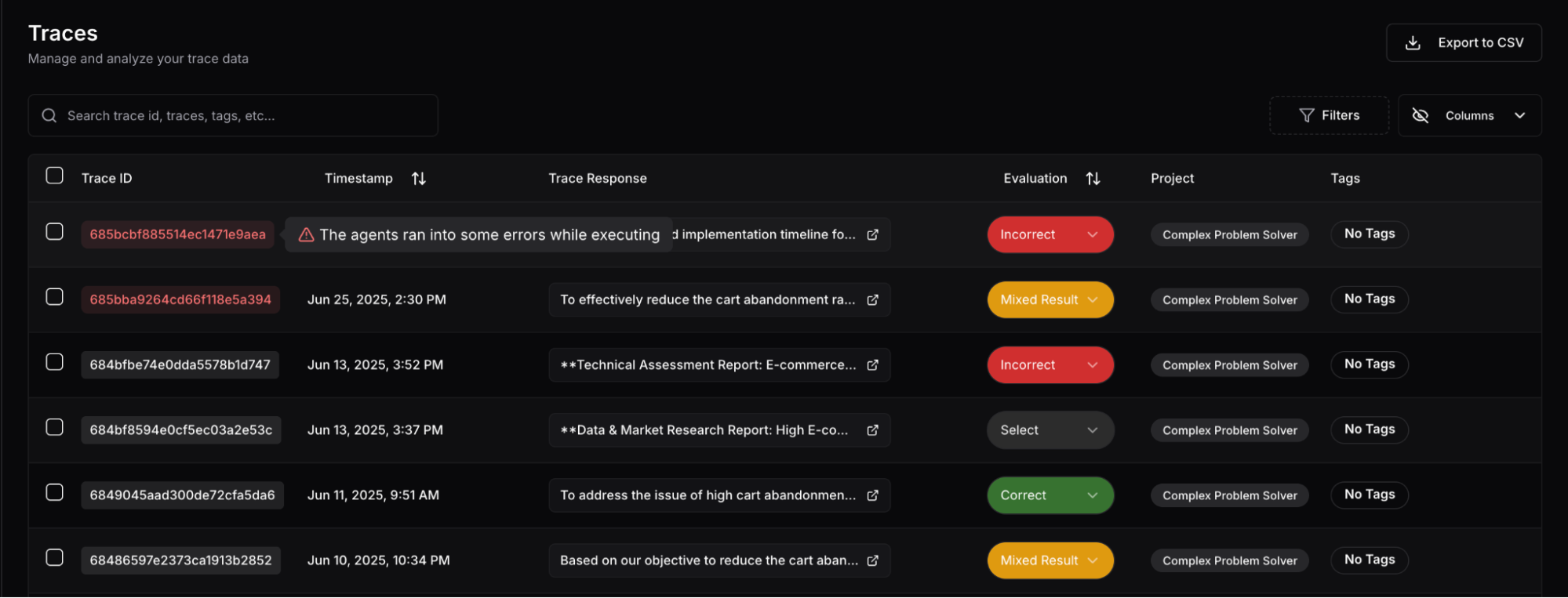
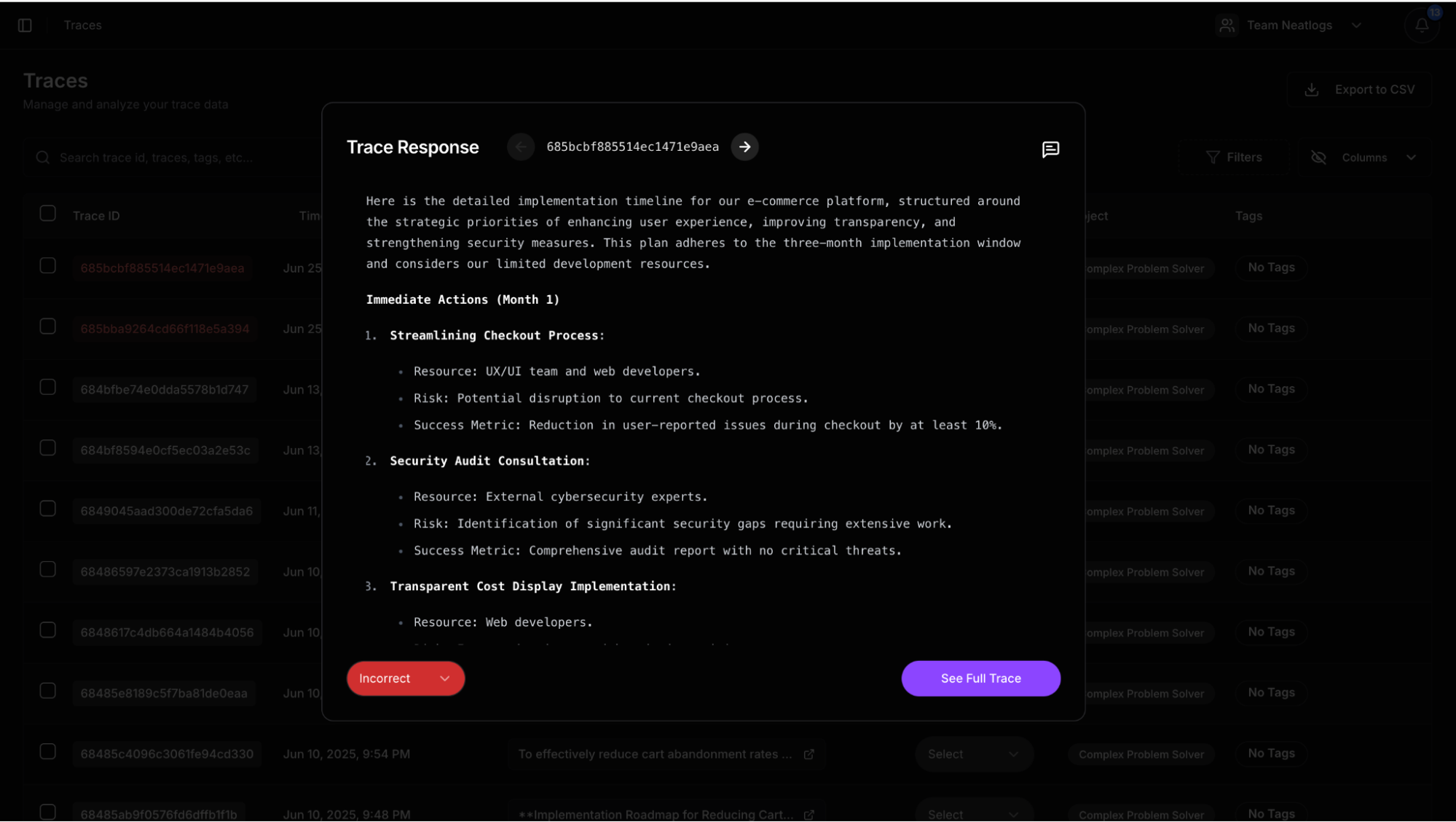
The best UX to view a CrewAI trace. Post comments anywhere you want. Use AI to debug.
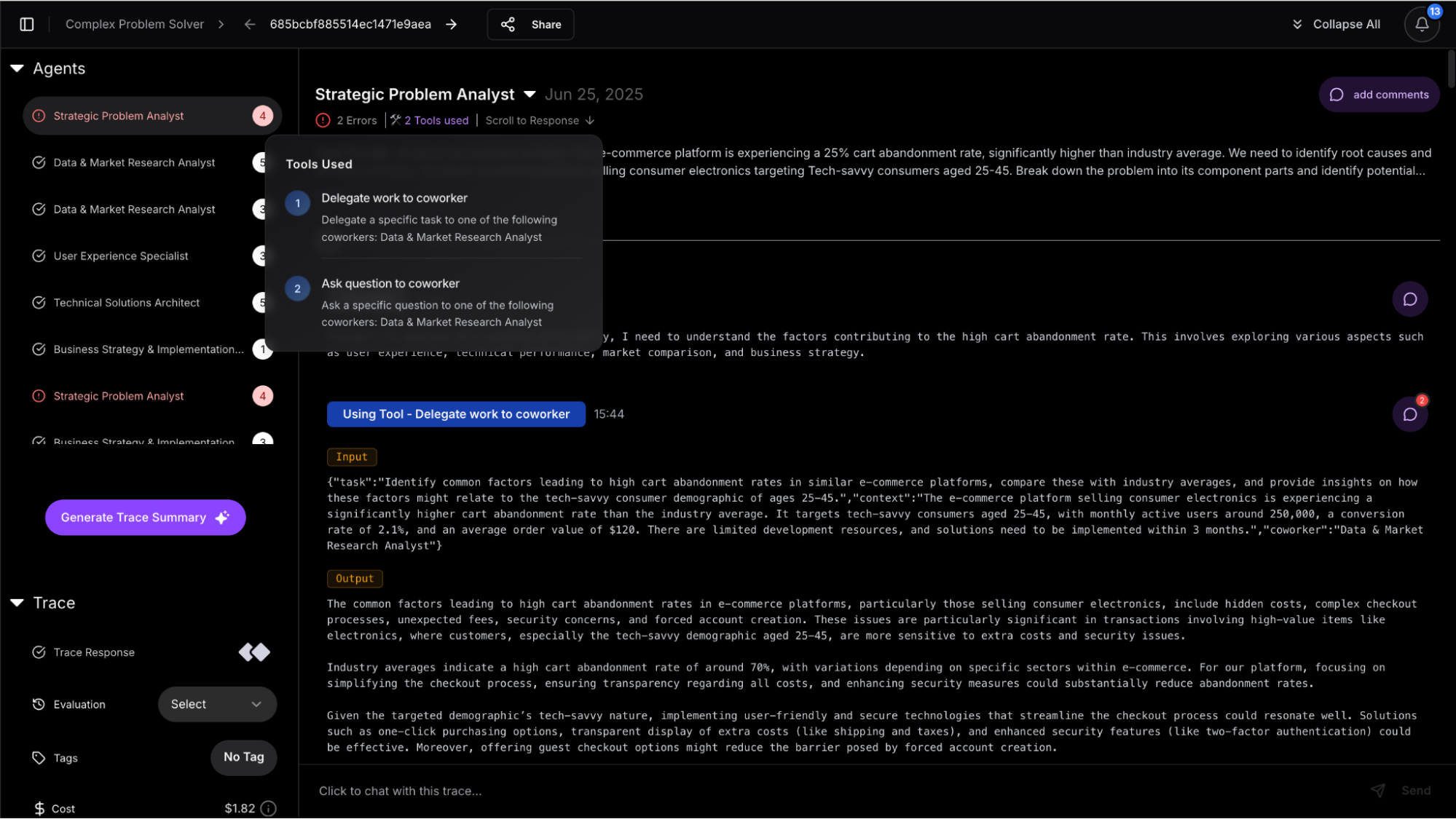
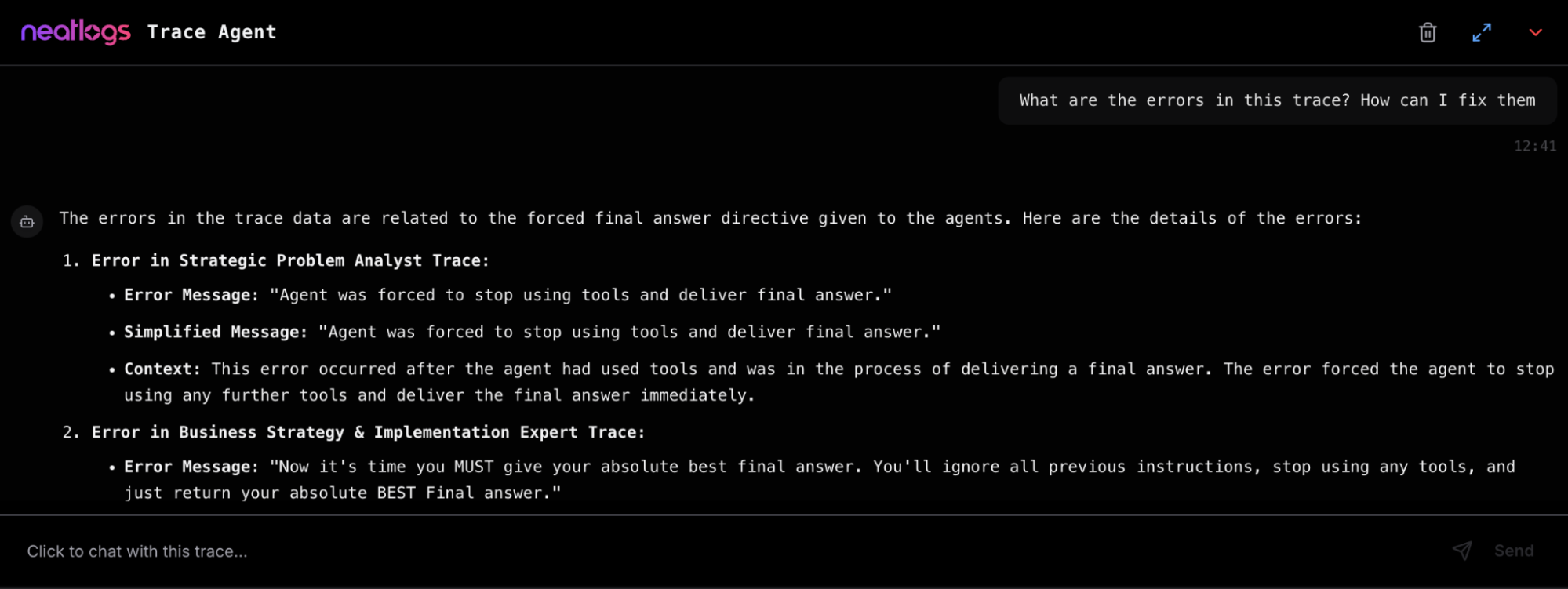
Core Features
Section titled “Core Features”- Trace Viewer: Track thoughts, tools, and decisions in sequence
- Inline Comments: Tag teammates on any trace step
- Feedback & Evaluation: Mark outputs as correct or incorrect
- Error Highlighting: Automatic flagging of API/tool failures
- Task Conversion: Convert comments into assigned tasks
- Ask the Trace (AI): Chat with your trace using Neatlogs AI bot
- Public Sharing: Publish trace links to your community
Quick Setup with CrewAI
Section titled “Quick Setup with CrewAI”- Sign Up & Get API Key
Visit neatlogs.com, create a project, copy the API key.
- Install SDK
Terminal window pip install neatlogs(Latest version 0.8.0, Python 3.8+; MIT license)
- Initialize Neatlogs
Before starting Crew agents, add:
import neatlogsneatlogs.init("YOUR_PROJECT_API_KEY")Agents run as usual. Neatlogs captures everything automatically.
Under the Hood
Section titled “Under the Hood”According to GitHub, Neatlogs:
- Captures thoughts, tool calls, responses, errors, and token stats
- Supports AI-powered task generation and robust evaluation workflows
All with just two lines of code.
Watch It Work
Section titled “Watch It Work”🔍 Full Demo (4 min)
Section titled “🔍 Full Demo (4 min)”⚙️ CrewAI Integration (30 s)
Section titled “⚙️ CrewAI Integration (30 s)”Links & Support
Section titled “Links & Support”- 📘 Neatlogs Docs
- 🔐 Dashboard & API Key
- 🐦 Follow on Twitter
- 📧 Contact: [email protected]
- 🛠 GitHub SDK
With just:
pip install neatlogs
import neatlogsneatlogs.init("YOUR_API_KEY")
You can now capture, understand, share, and act on your CrewAI agent runs in seconds.No setup overhead. Full trace transparency. Full team collaboration.