Google Calendar Trigger
Overview
Section titled “Overview”Use the Google Calendar trigger to launch automations whenever calendar events change. Common use cases include briefing a team before a meeting, notifying stakeholders when a critical event is cancelled, or summarizing daily schedules.
Enabling the Google Calendar Trigger
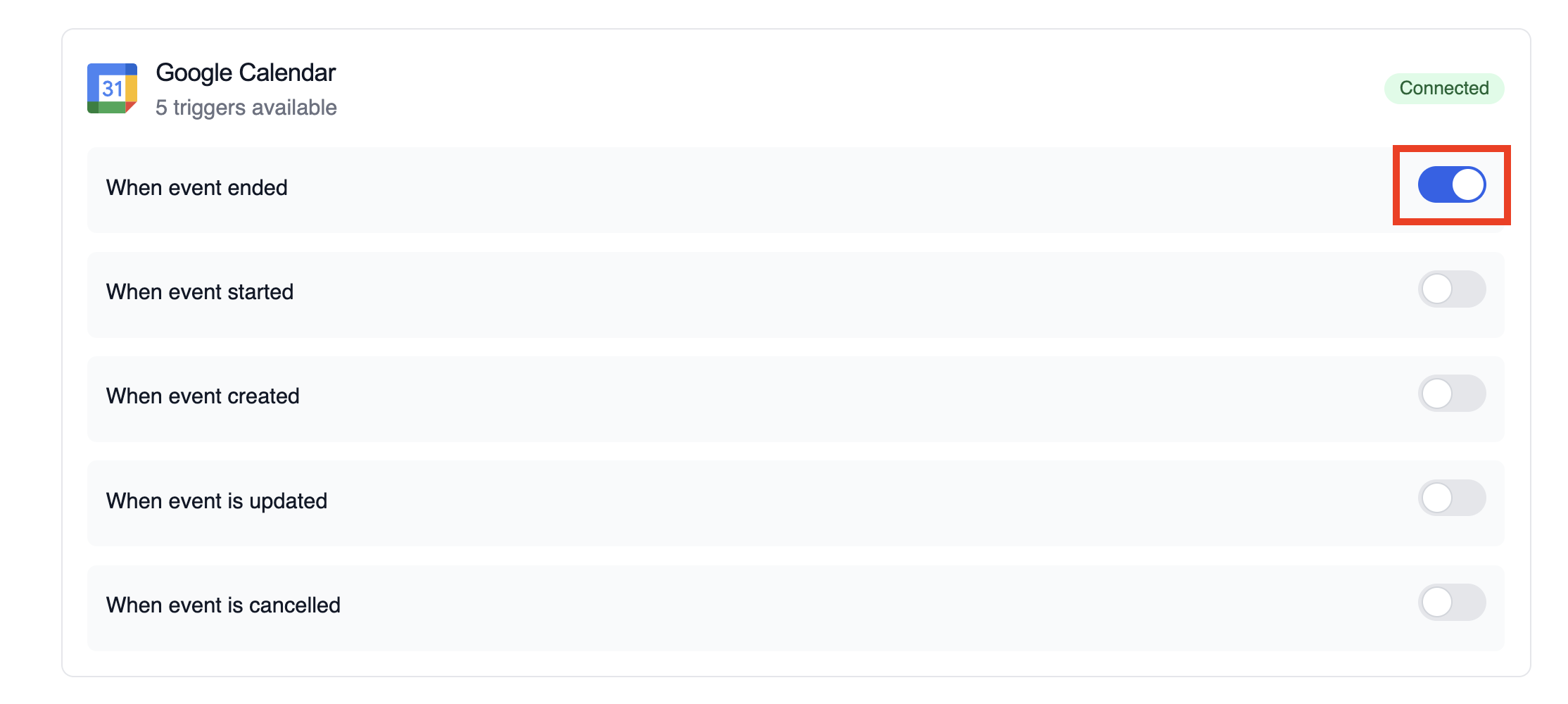
Section titled “Enabling the Google Calendar Trigger”- Open your deployment in CrewAI AMP
- Go to the Triggers tab
- Locate Google Calendar and switch the toggle to enable
Example: Summarize meeting details
Section titled “Example: Summarize meeting details”The snippet below mirrors the calendar-event-crew.py example in the trigger repository. It parses the payload, analyses the attendees and timing, and produces a meeting brief for downstream tools.
from calendar_event_crew import GoogleCalendarEventTrigger
crew = GoogleCalendarEventTrigger().crew()result = crew.kickoff({    "crewai_trigger_payload": calendar_payload,})print(result.raw)
Use crewai_trigger_payload exactly as it is delivered by the trigger so the crew can extract the proper fields.
Testing Locally
Section titled “Testing Locally”Test your Google Calendar trigger integration locally using the CrewAI CLI:
# View all available triggerscrewai triggers list
# Simulate a Google Calendar trigger with realistic payloadcrewai triggers run google_calendar/event_changed
The crewai triggers run command will execute your crew with a complete Calendar payload, allowing you to test your parsing logic before deployment.
Monitoring Executions
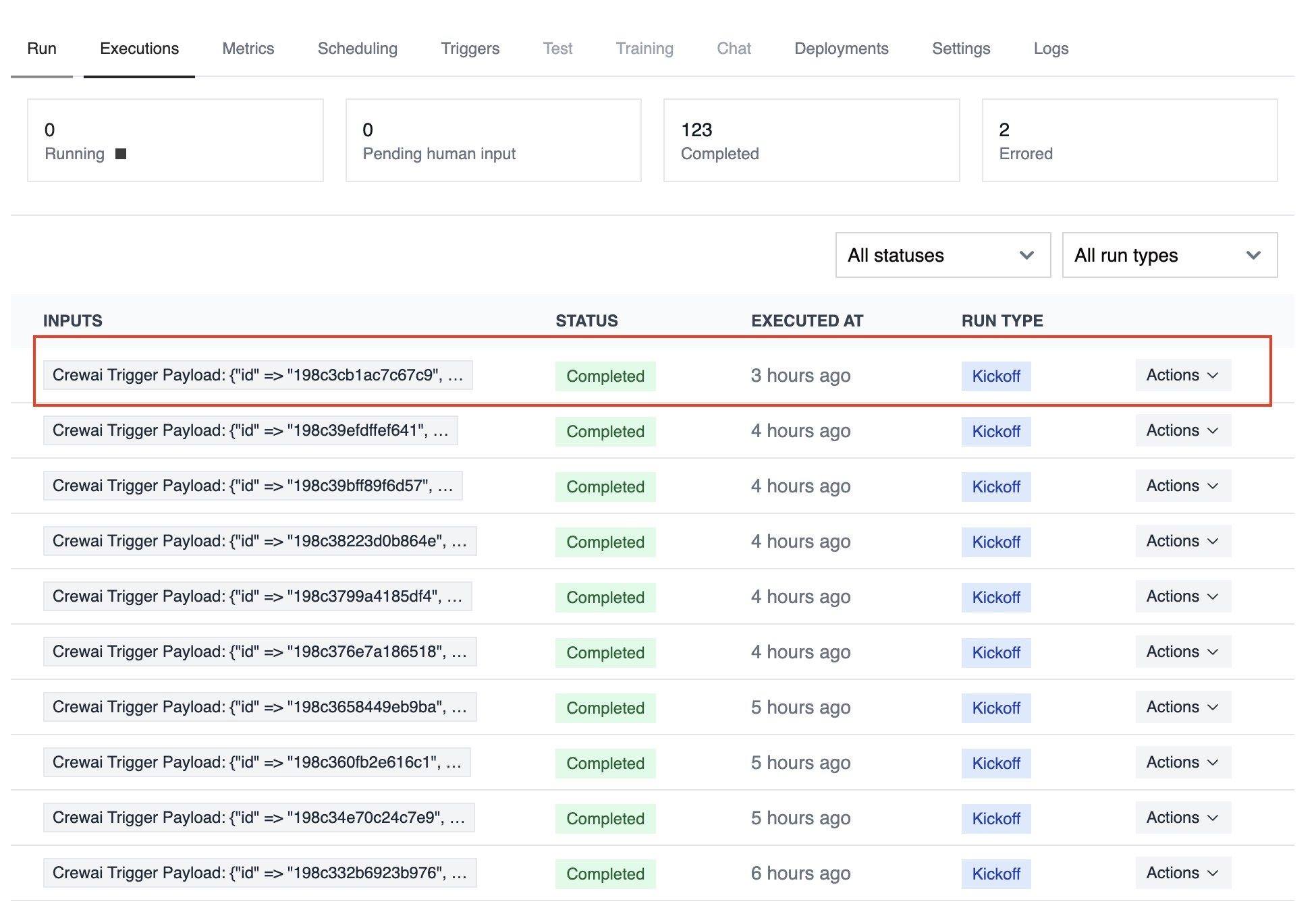
Section titled “Monitoring Executions”The Executions list in the deployment dashboard tracks every triggered run and surfaces payload metadata, output summaries, and errors.
Troubleshooting
Section titled “Troubleshooting”- Ensure the correct Google account is connected and the trigger is enabled
- Test locally with
crewai triggers run google_calendar/event_changedto see the exact payload structure - Confirm your workflow handles all-day events (payloads use
start.dateandend.dateinstead of timestamps) - Check execution logs if reminders or attendee arrays are missing—calendar permissions can limit fields in the payload
- Remember: use
crewai triggers run(notcrewai run) to simulate trigger execution