One Card per Step
Overview
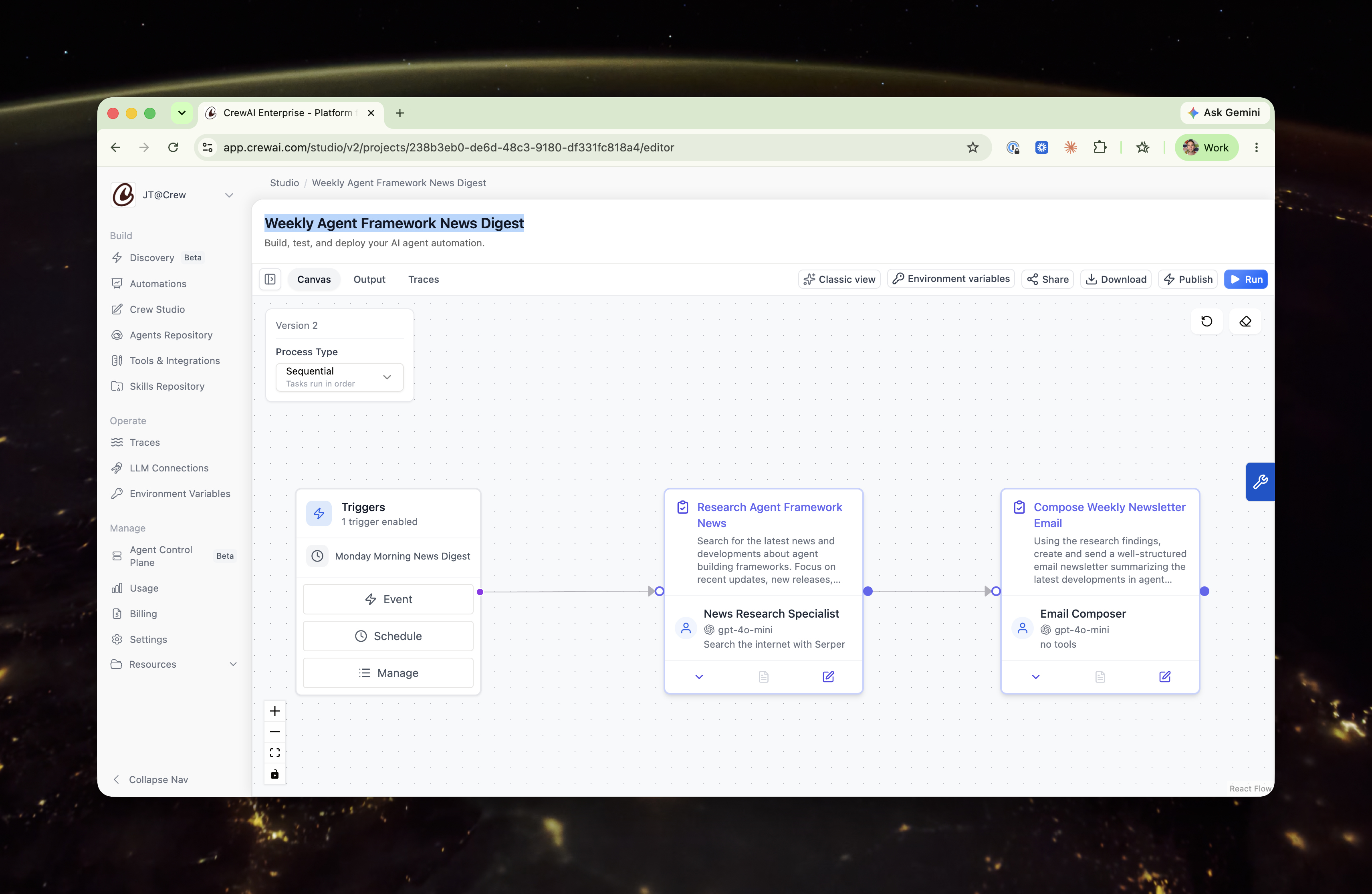
Section titled “Overview”On the Studio canvas, each step of work is represented by a single card. The card combines two things that used to live in separate nodes:
- The task — what to do (name, description, expected output, and response format).
- The agent — who does it (the assigned agent, its model, and its tools).
An agent isn’t an independent participant in your workflow — it’s an attribute of the task: which agent performs this work. Putting the task and its agent on one card makes that relationship explicit and turns your automation into a single, left-to-right chain of work units that’s easier to read at a glance.
On the canvas
Section titled “On the canvas”Each collapsed card shows:
- The task name and description at the top.
- A footer summarizing the assigned agent — avatar, name, model, and tools.
There’s no separate agent node and no vertical agent → task edge. Your steps connect directly to one another in the order they run.
In the editor
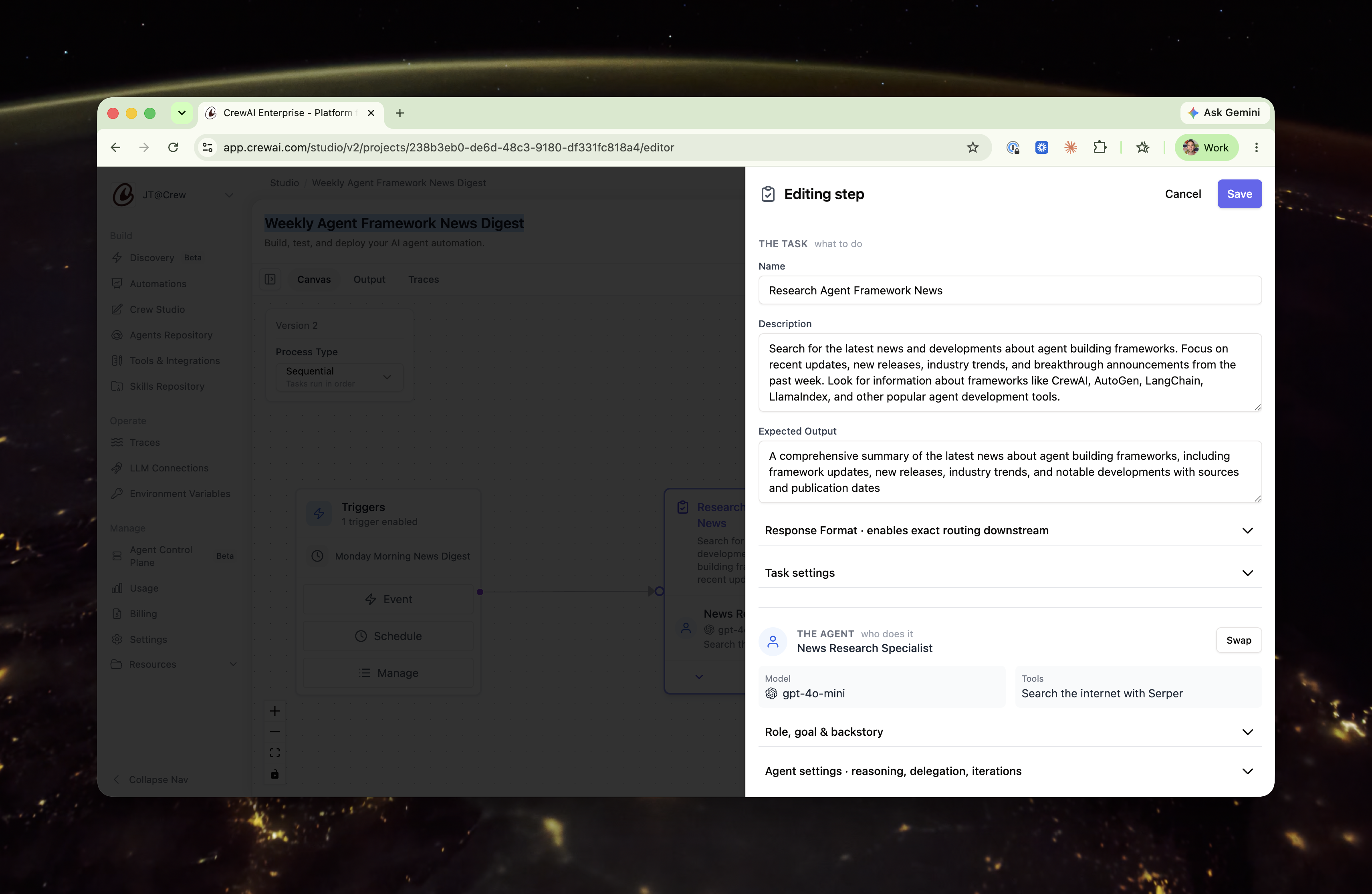
Section titled “In the editor”Open a card to edit it. The expanded view is the same card in a detailed state — not a different screen — organized into two clearly labeled sections.
The task — what to do
Section titled “The task — what to do”Open by default, since this is what you usually edit:
- Name
- Description
- Expected Output
- Response Format — surfaced here because it controls exactly what downstream steps (such as routing) read from this step.
The agent — who does it
Section titled “The agent — who does it”The assigned agent is shown as a summary — name, model, and tools inline. Its deeper configuration is preserved behind two disclosures:
- Role, goal & backstory
- Agent settings — reasoning, max reasoning attempts, allow delegation, max iterations, and LLM settings.
Swapping vs. editing the agent
Section titled “Swapping vs. editing the agent”There are two distinct ways to work with the agent on a card, and they do different things:
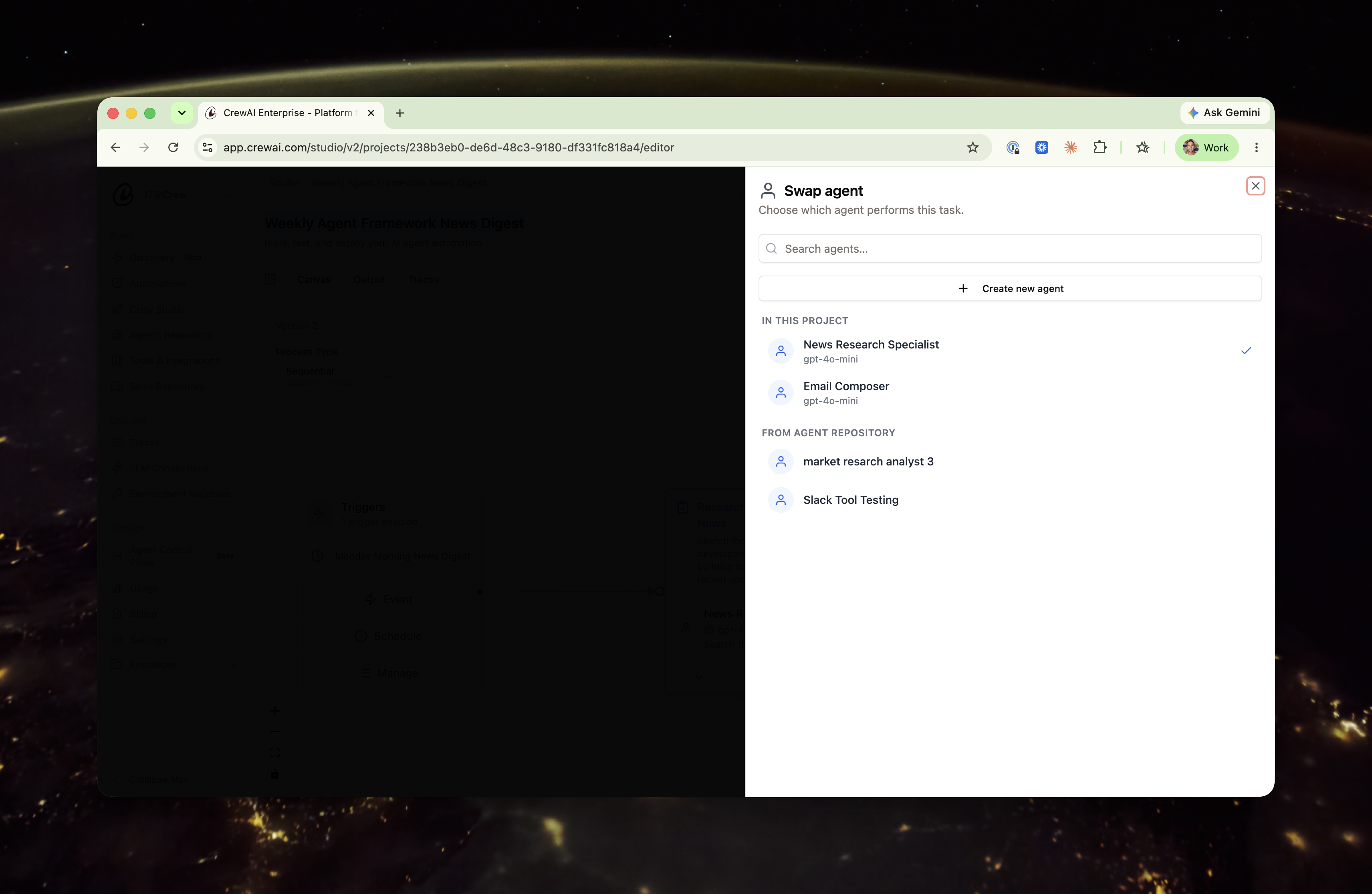
- Swap reassigns which agent performs this task. Use the Swap control to pick a different agent from this project, choose one from your Agent Repository, or create a new agent. This is scoped to the task.
- Editing the agent — opening Role, goal & backstory or Agent settings — changes the agent itself.