Gmail Trigger
Overview
섹션 제목: “Overview”Use the Gmail Trigger to kick off your deployed crews when Gmail events happen in connected accounts, such as receiving a new email or messages matching a label/filter.
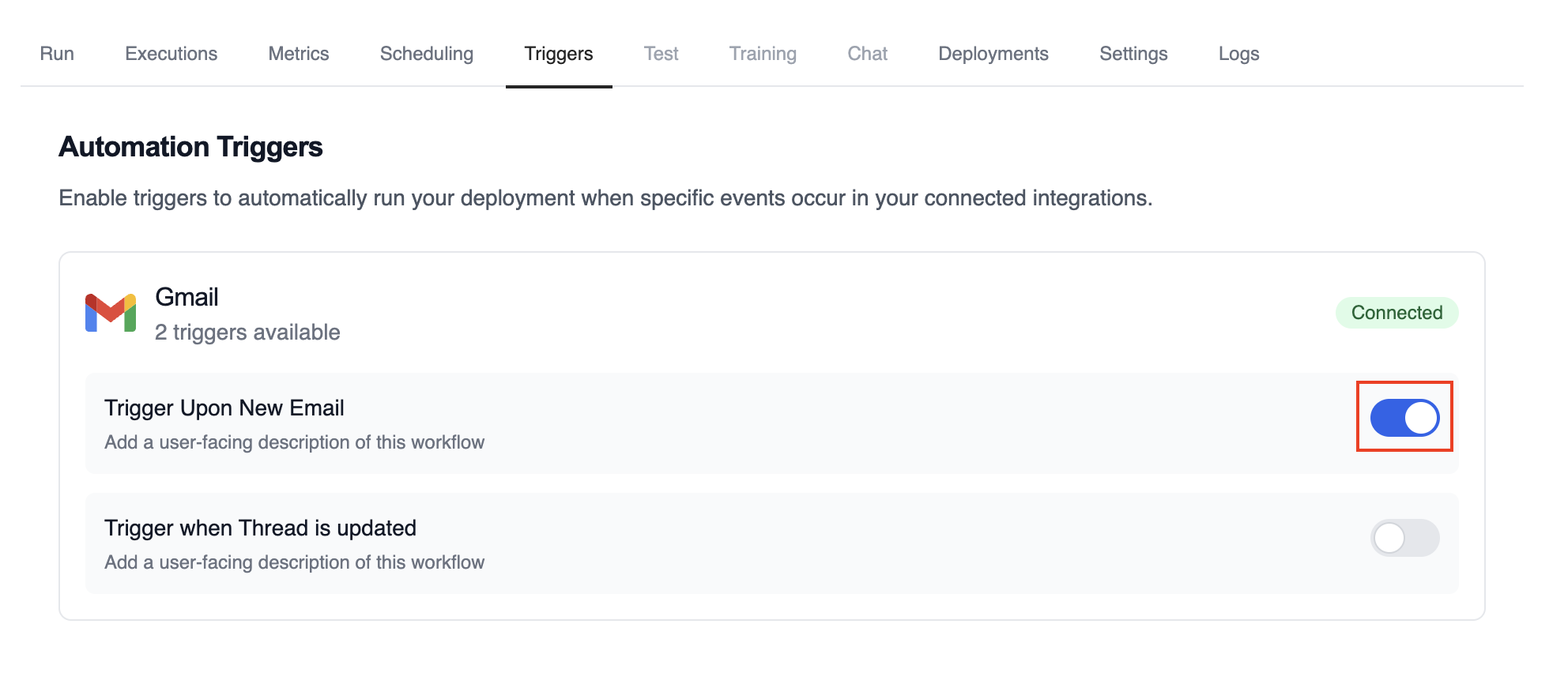
Enabling the Gmail Trigger
섹션 제목: “Enabling the Gmail Trigger”- Open your deployment in CrewAI AMP
- Go to the Triggers tab
- Locate Gmail and switch the toggle to enable
Example: Process new emails
섹션 제목: “Example: Process new emails”When a new email arrives, the Gmail Trigger will send the payload to your Crew or Flow. Below is a Crew example that parses and processes the trigger payload.
@CrewBaseclass GmailProcessingCrew:    @agent    def parser(self) -> Agent:        return Agent(            config=self.agents_config['parser'],        )
    @task    def parse_gmail_payload(self) -> Task:        return Task(            config=self.tasks_config['parse_gmail_payload'],            agent=self.parser(),        )
    @task    def act_on_email(self) -> Task:        return Task(            config=self.tasks_config['act_on_email'],            agent=self.parser(),        )
The Gmail payload will be available via the standard context mechanisms.
로컬에서 테스트
섹션 제목: “로컬에서 테스트”CrewAI CLI를 사용하여 Gmail 트리거 통합을 로컬에서 테스트하세요:
# 사용 가능한 모든 트리거 보기crewai triggers list
# 실제 payload로 Gmail 트리거 시뮬레이션crewai triggers run gmail/new_email_received
crewai triggers run 명령은 완전한 Gmail payload로 크루를 실행하여 배포 전에 파싱 로직을 테스트할 수 있게 해줍니다.
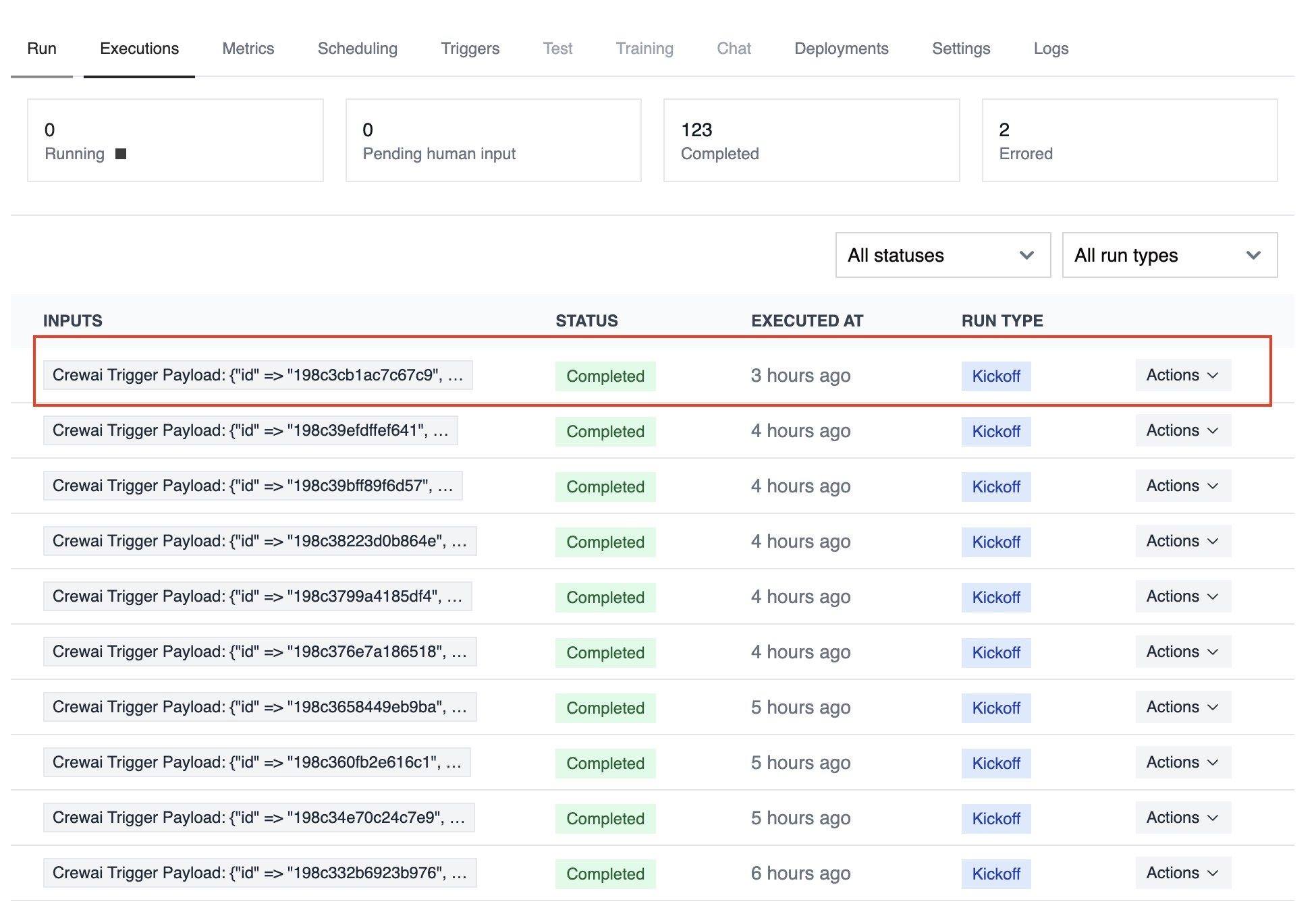
Monitoring Executions
섹션 제목: “Monitoring Executions”Track history and performance of triggered runs:
Troubleshooting
섹션 제목: “Troubleshooting”- Ensure Gmail is connected in Tools & Integrations
- Verify the Gmail Trigger is enabled on the Triggers tab
crewai triggers run gmail/new_email_received로 로컬 테스트하여 정확한 payload 구조를 확인하세요- Check the execution logs and confirm the payload is passed as
crewai_trigger_payload - 주의: 트리거 실행을 시뮬레이션하려면
crewai triggers run을 사용하세요 (crewai run이 아님)