تكامل OpenLIT
نظرة عامة على OpenLIT
Section titled “نظرة عامة على OpenLIT”OpenLIT هو أداة مفتوحة المصدر تجعل من السهل مراقبة أداء وكلاء الذكاء الاصطناعي ونماذج LLM وقواعد بيانات المتجهات ووحدات GPU بسطر واحد فقط من الكود.
يوفر تتبعاً ومقاييس أصلية لـ OpenTelemetry لتتبع المعلمات المهمة مثل التكلفة وزمن الاستجابة والتفاعلات وتسلسل المهام. يمكّنك هذا الإعداد من تتبع المعلمات الفائقة ومراقبة مشكلات الأداء، مما يساعدك في إيجاد طرق لتحسين وضبط وكلائك بمرور الوقت.
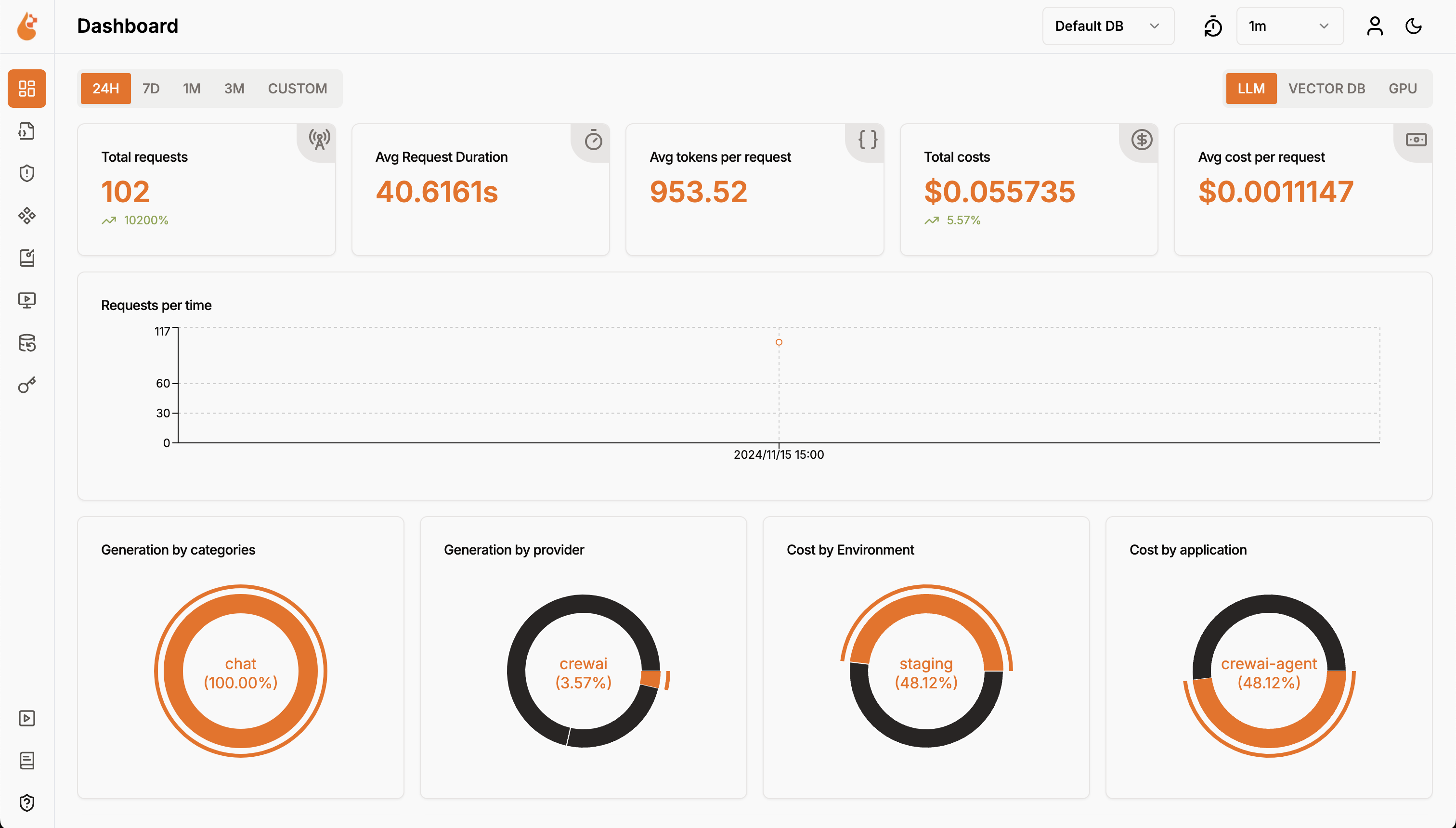
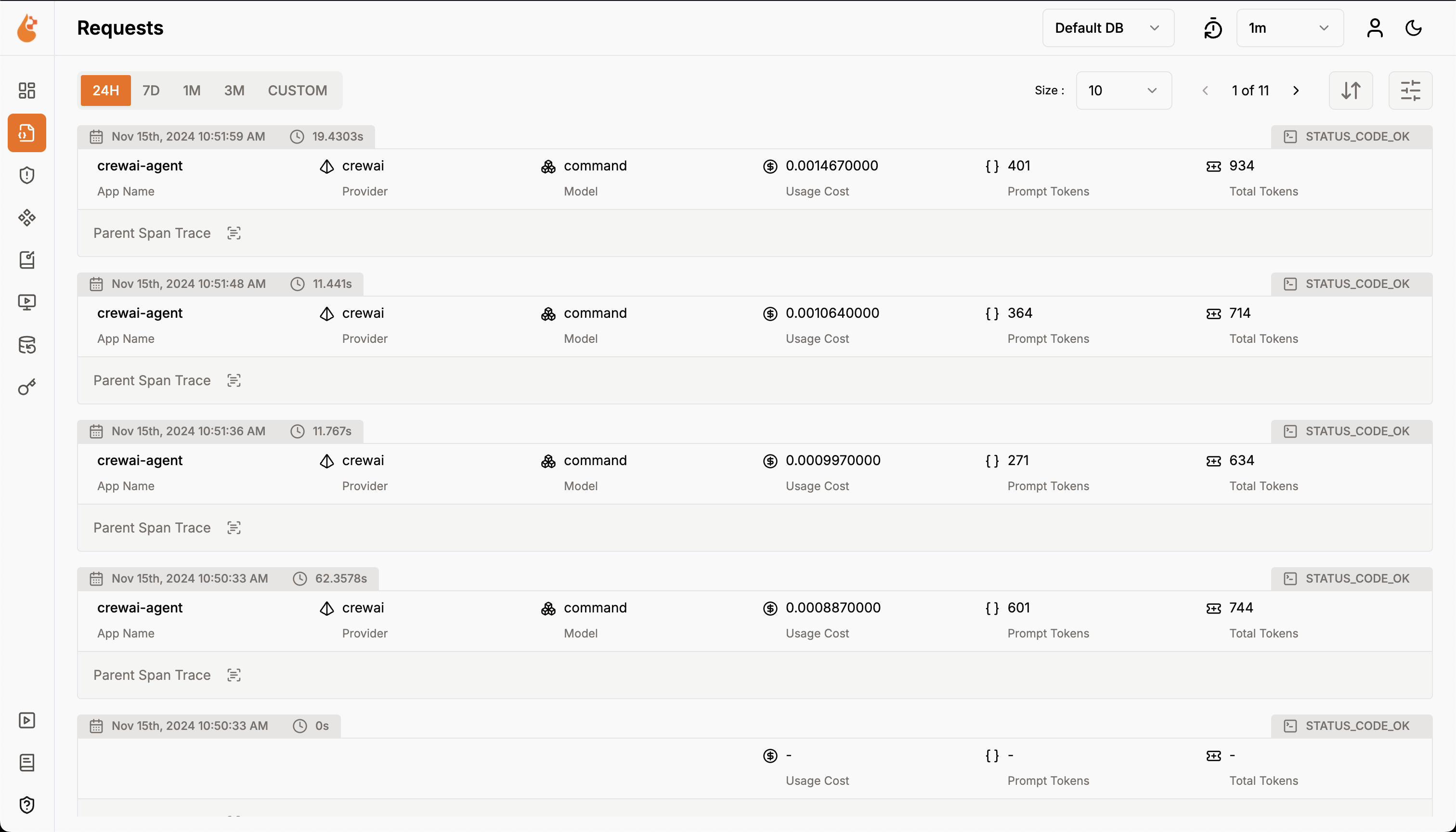
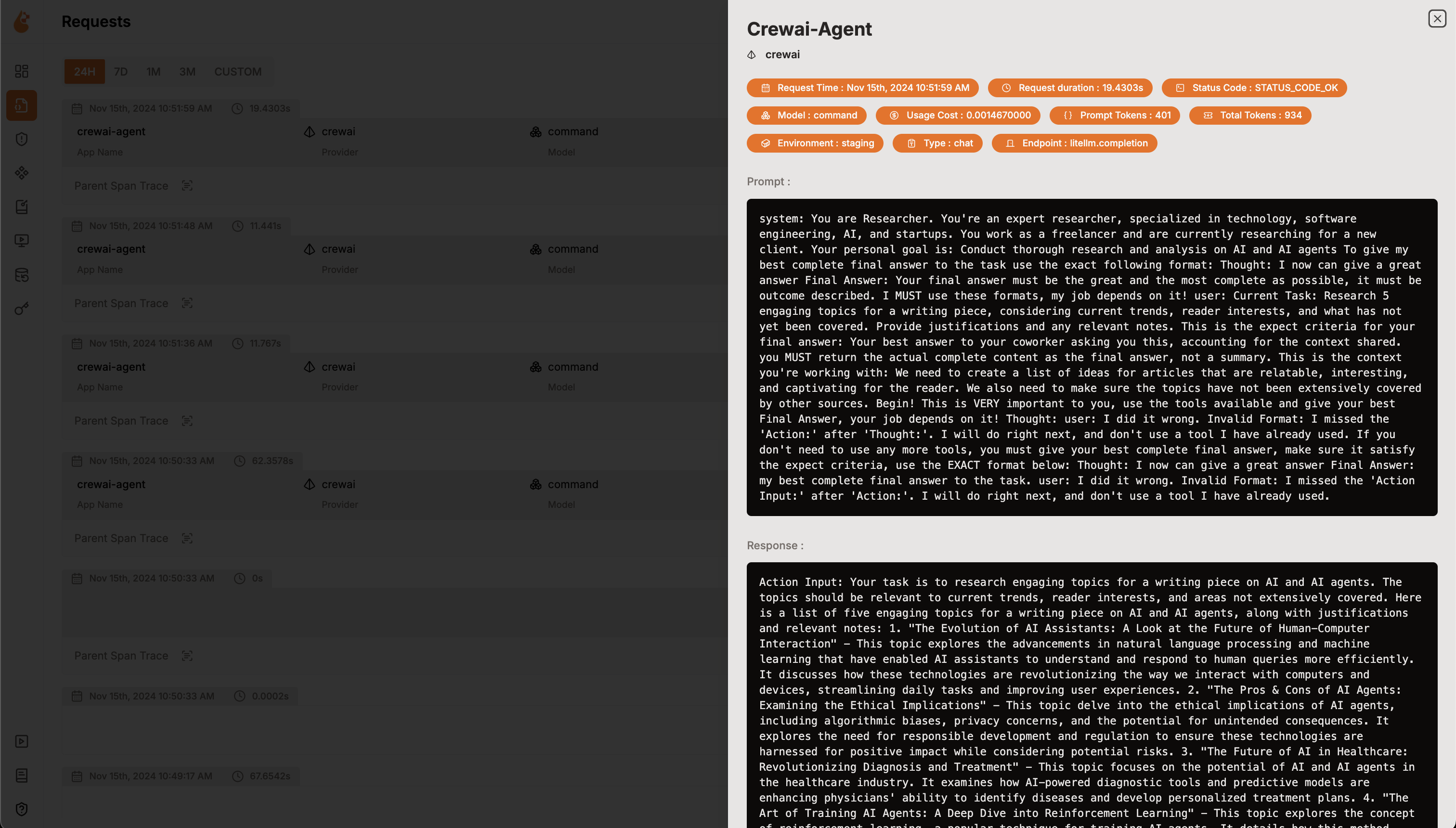
الميزات
Section titled “الميزات”- لوحة معلومات التحليلات: راقب صحة وأداء وكلائك من خلال لوحات معلومات تفصيلية تتتبع المقاييس والتكاليف وتفاعلات المستخدمين.
- SDK مراقبة أصلي لـ OpenTelemetry: حزم SDK محايدة للمورد لإرسال التتبعات والمقاييس إلى أدوات المراقبة الحالية مثل Grafana وDataDog وغيرها.
- تتبع التكاليف للنماذج المخصصة والمعدّلة: خصّص تقديرات التكلفة لنماذج محددة باستخدام ملفات تسعير مخصصة لوضع ميزانية دقيقة.
- لوحة مراقبة الاستثناءات: اكتشف وحل المشكلات بسرعة من خلال تتبع الاستثناءات والأخطاء الشائعة بلوحة مراقبة.
- الامتثال والأمان: اكتشف التهديدات المحتملة مثل الألفاظ البذيئة وتسريبات المعلومات الشخصية.
- كشف حقن الموجهات: حدد حقن الكود المحتمل وتسريبات الأسرار.
- إدارة مفاتيح API والأسرار: تعامل مع مفاتيح API لنماذج LLM وأسرارك مركزياً بأمان، مع تجنب الممارسات غير الآمنة.
- إدارة الموجهات: أدر وأصدر موجهات الوكلاء باستخدام PromptHub للوصول المتسق والسهل عبر الوكلاء.
- ساحة تجربة النماذج: اختبر وقارن نماذج مختلفة لوكلاء CrewAI قبل النشر.
تعليمات الإعداد
Section titled “تعليمات الإعداد”- نشر OpenLIT
- استنساخ مستودع OpenLIT
Terminal window - بدء Docker Compose
من المجلد الجذري لـ مستودع OpenLIT، شغّل الأمر التالي:
Terminal window docker compose up -d
-
- تثبيت SDK الخاص بـ OpenLIT
Terminal window pip install openlit - تهيئة OpenLIT في تطبيقك
أضف السطرين التاليين إلى كود تطبيقك:
الإعداد باستخدام معاملات الدالةimport openlitopenlit.init(otlp_endpoint="http://127.0.0.1:4318")مثال على الاستخدام لمراقبة وكيل CrewAI:
from crewai import Agent, Task, Crew, Processimport openlitopenlit.init(disable_metrics=True)# Define your agentsresearcher = Agent(role="Researcher",goal="Conduct thorough research and analysis on AI and AI agents",backstory="You're an expert researcher, specialized in technology, software engineering, AI, and startups. You work as a freelancer and are currently researching for a new client.",allow_delegation=False,llm='command-r')# Define your tasktask = Task(description="Generate a list of 5 interesting ideas for an article, then write one captivating paragraph for each idea that showcases the potential of a full article on this topic. Return the list of ideas with their paragraphs and your notes.",expected_output="5 bullet points, each with a paragraph and accompanying notes.",)# Define the manager agentmanager = Agent(role="Project Manager",goal="Efficiently manage the crew and ensure high-quality task completion",backstory="You're an experienced project manager, skilled in overseeing complex projects and guiding teams to success. Your role is to coordinate the efforts of the crew members, ensuring that each task is completed on time and to the highest standard.",allow_delegation=True,llm='command-r')# Instantiate your crew with a custom managercrew = Crew(agents=[researcher],tasks=[task],manager_agent=manager,process=Process.hierarchical,)# Start the crew's workresult = crew.kickoff()print(result)الإعداد باستخدام متغيرات البيئةأضف السطرين التاليين إلى كود تطبيقك:
import openlitopenlit.init()شغّل الأمر التالي لإعداد نقطة نهاية تصدير OTEL:
Terminal window export OTEL_EXPORTER_OTLP_ENDPOINT = "http://127.0.0.1:4318"مثال على الاستخدام لمراقبة وكيل CrewAI غير متزامن:
import asynciofrom crewai import Crew, Agent, Taskimport openlitopenlit.init(otlp_endpoint="http://127.0.0.1:4318")# Create an agent with code execution enabledcoding_agent = Agent(role="Python Data Analyst",goal="Analyze data and provide insights using Python",backstory="You are an experienced data analyst with strong Python skills.",allow_code_execution=True,llm="command-r")# Create a task that requires code executiondata_analysis_task = Task(description="Analyze the given dataset and calculate the average age of participants. Ages: {ages}",agent=coding_agent,expected_output="5 bullet points, each with a paragraph and accompanying notes.",)# Create a crew and add the taskanalysis_crew = Crew(agents=[coding_agent],tasks=[data_analysis_task])# Async function to kickoff the crew asynchronouslyasync def async_crew_execution():result = await analysis_crew.kickoff_async(inputs={"ages": [25, 30, 35, 40, 45]})print("Crew Result:", result)# Run the async functionasyncio.run(async_crew_execution())راجع مستودع Python SDK الخاص بـ OpenLIT لمزيد من الإعدادات المتقدمة وحالات الاستخدام.
- العرض والتحليل
مع جمع بيانات مراقبة الوكلاء وإرسالها إلى OpenLIT، الخطوة التالية هي عرض وتحليل هذه البيانات للحصول على رؤى حول أداء وكيلك وسلوكه وتحديد مجالات التحسين.
ما عليك سوى التوجه إلى OpenLIT على
127.0.0.1:3000في متصفحك لبدء الاستكشاف. يمكنك تسجيل الدخول باستخدام بيانات الاعتماد الافتراضية- البريد الإلكتروني:
[email protected] - كلمة المرور:
openlituser
لوحة معلومات OpenLIT - البريد الإلكتروني: